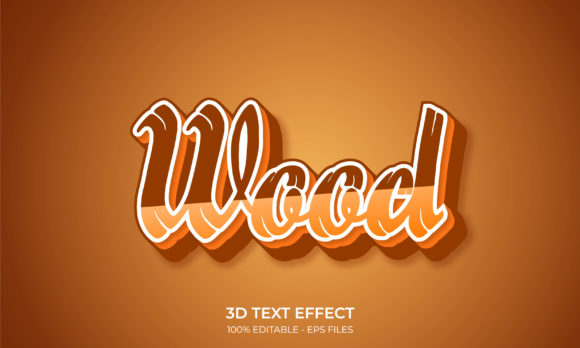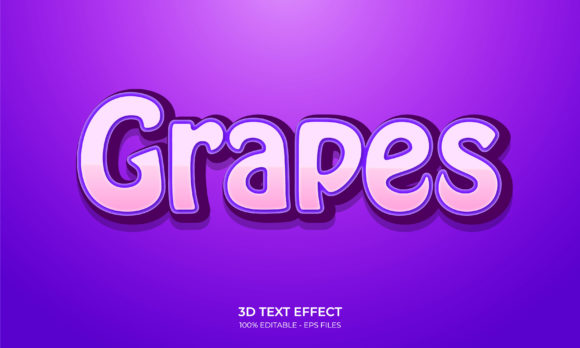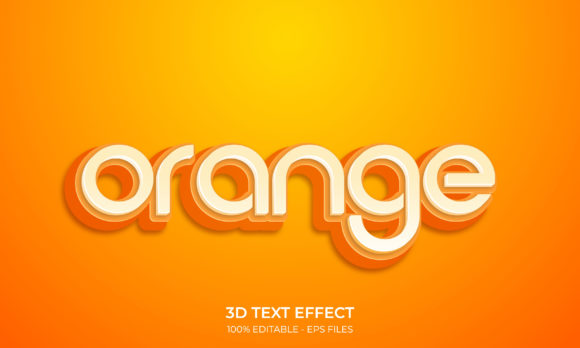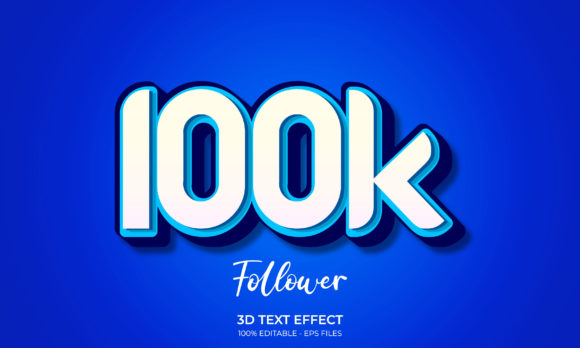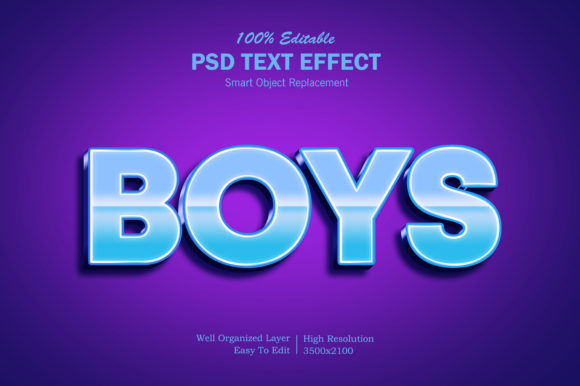
3D Blue Gradient Photoshop Text Effect
In the crowded landscape of digital design, capturing attention within the first few seconds is not just an advantage; it is a necessity. Visual hierarchy and typography play pivotal roles in this process, yet creating compelling text effects often requires advanced skills or hours of manual layering. This is where pre-made graphic resources become invaluable tools for professionals and hobbyists alike. Specifically, the 3D Blue Gradient Photoshop Text Effect offers a streamlined solution for designers who need high-impact visuals without sacrificing workflow efficiency.
This resource is designed to bridge the gap between professional-grade aesthetics and user-friendly editing. By leveraging modern features within Adobe Photoshop, such as Smart Objects, users can achieve complex three-dimensional results with minimal effort. The following analysis explores the functionality, applications, and strategic value of integrating this specific text effect into your design projects.
Understanding the Core Mechanism
At its foundation, the 3D Blue Gradient Photoshop Text Effect is built on the principle of non-destructive editing. Traditional text styling often involves rasterizing layers, which locks in changes and makes future edits difficult or impossible without starting over. In contrast, this resource utilizes Smart Objects—a feature that embeds a layer’s content with link to its original source data.
The workflow is intentionally simplified to reduce friction:
- Open the File: Launch the provided PSD file in Photoshop.
- Locate the Smart Object: Find the layer specifically labeled "Your Text."
- Edit Internally: Double-click the Smart Object thumbnail. This opens a new document window containing the editable text layer.
- Replace and Save: Input your desired copy, adjust font size if necessary, and save the file (Ctrl+S or Cmd+S).
- Automatic Update: Return to the main document. The 3D blue gradient effect will automatically apply to your new text, maintaining all shadows, bevels, and lighting angles.
This process ensures consistency across multiple designs. Whether you are creating a series of social media posts or a multi-page presentation, the visual style remains uniform, reinforcing brand identity while saving significant time.
Key Characteristics and Technical Strengths
What distinguishes this resource from free, low-quality templates found online is its attention to technical detail. The 3D Blue Gradient Photoshop Text Effect is characterized by several key attributes that contribute to its professional appeal.
High Resolution and Scalability
The file is delivered in high resolution, ensuring that text remains crisp and clear whether viewed on a mobile screen or printed on a large-format banner. The vector-based nature of the underlying text elements allows for scaling without pixelation, a critical factor for versatile usage.
Well-Organized Layer Structure
Complex 3D effects often result in messy layer palettes, making further customization a nightmare. This template is meticulously organized. Layers are grouped logically—separating background gradients, text bases, shadow layers, and highlight overlays. This structure allows experienced designers to tweak individual components, such as adjusting the intensity of the drop shadow or altering the angle of the light source, without breaking the overall effect.
Full Editability
Being 100% editable means the resource is not a static image but a living template. The blue gradient itself is likely created using gradient maps or overlay styles that can be modified to match specific brand colors. While the default blue may evoke trust and technology, changing it to a deep navy or a vibrant cyan can shift the emotional tone of the design entirely.
Practical Applications Across Industries
The versatility of the 3D Blue Gradient Photoshop Text Effect extends far beyond simple decoration. Its clean, modern aesthetic makes it suitable for a wide array of commercial and personal projects.
Digital Marketing and Social Media
In the fast-scrolling environment of platforms like Facebook, Twitter, and YouTube, bold text stands out. This effect is ideal for:
- Cover Photos: Creating eye-catching headers for business pages that communicate professionalism.
- Promotional Banners: Highlighting sales, webinars, or product launches with urgent, readable headlines.
- YouTube Thumbnails: Ensuring titles are legible even at small sizes, driving higher click-through rates.
Branding and Identity
For entrepreneurs and startups, first impressions matter. Using this effect in logo presentations or poster designs adds a layer of polish that suggests attention to detail. The blue gradient, often associated with stability, intelligence, and calm, is particularly effective for tech companies, financial institutions, and educational platforms.
Print and Merchandise
Despite being a digital asset, the high-resolution output makes it viable for print-on-demand services. It works exceptionally well for:
- T-Shirt and Clothing Designs: Where bold, 3D-style typography grabs attention on fabric.
- Flyers and Placards: For events, concerts, or community announcements where readability from a distance is key.
- Greeting Cards and Illustrations: Adding a festive or celebratory pop to custom card designs.
Educational and Corporate Presentations
Educators and corporate communicators often struggle to make slide decks visually engaging without appearing unprofessional. This text effect provides a middle ground—dynamic enough to hold interest, yet restrained enough to maintain corporate decorum. It is perfect for title slides in PowerPoint or Keynote presentations converted to images.
Strategic Benefits for Designers
Adopting resources like the 3D Blue Gradient Photoshop Text Effect offers tangible benefits related to productivity and user experience.
Efficiency: Time is money. By eliminating the need to manually create bevels, inner glows, and gradient overlays for every project, designers can focus on layout, composition, and strategy. This speed allows for faster turnaround times, which is crucial in freelance and agency environments.
Consistency: Brand guidelines require consistency. Using a standardized text effect across various marketing materials ensures that audiences instantly recognize the source of the content. This repetition builds trust and reinforces brand recall.
Accessibility: Not everyone is an expert in Photoshop’s advanced 3D tools. This resource democratizes high-end design, allowing beginners to produce work that looks professionally crafted. It serves as both a functional tool and a learning aid, showing users how complex lighting and texture interactions work.
Considerations for Implementation
While the 3D Blue Gradient Photoshop Text Effect is a powerful asset, successful implementation requires thoughtful consideration. First, ensure that your chosen font complements the 3D style. Heavy, sans-serif fonts generally render better with thick bevels and gradients than delicate serif fonts, which may lose detail when embossed.
Second, consider the background. The blue gradient is most effective against contrasting backgrounds. Dark backgrounds can enhance the luminosity of the blue, while light backgrounds might require adjustments to the shadow depth to ensure text legibility. Always preview your design in different contexts—on a phone screen, a desktop monitor, and in print—to verify that the effect translates well across mediums.
Finally, respect the licensing terms. Most premium graphic resources come with specific usage rights. Ensure you understand whether the license allows for commercial use, modification, and redistribution. Proper attribution, if required, should always be included to maintain ethical standards and support the creators.
Conclusion
The 3D Blue Gradient Photoshop Text Effect represents a smart investment for anyone looking to elevate their visual communication. By combining ease of use with professional aesthetics, it removes barriers to entry while delivering high-quality results. Whether you are designing a website element, a promotional banner, or a creative illustration, this tool provides the flexibility and impact needed to stand out in a noisy digital world. Embracing such efficient workflows allows creators to focus on what truly matters: conveying their message with clarity and style.