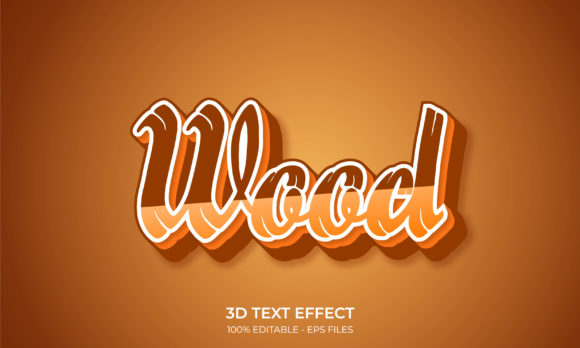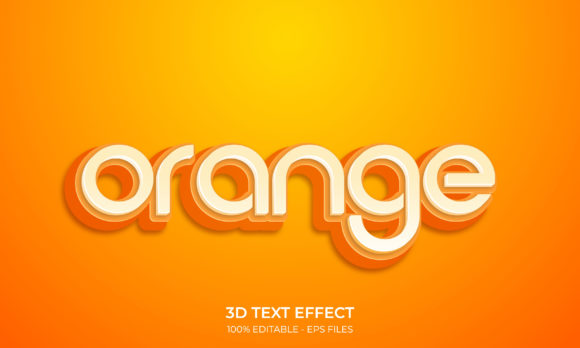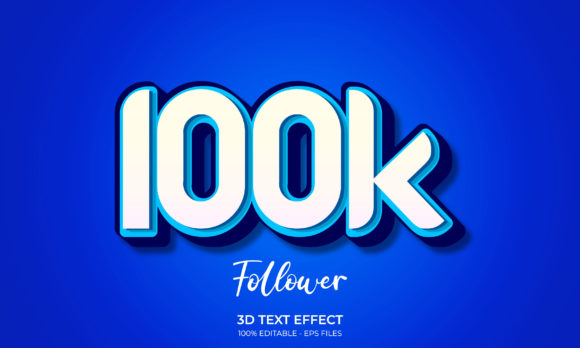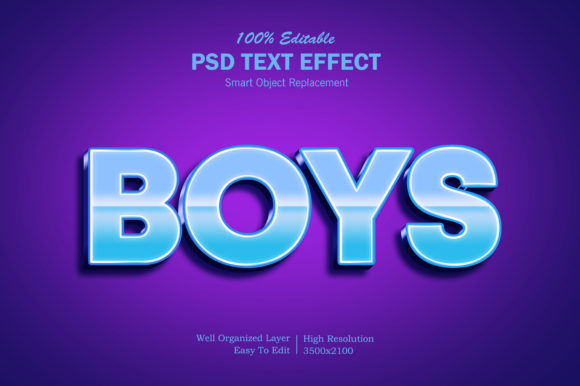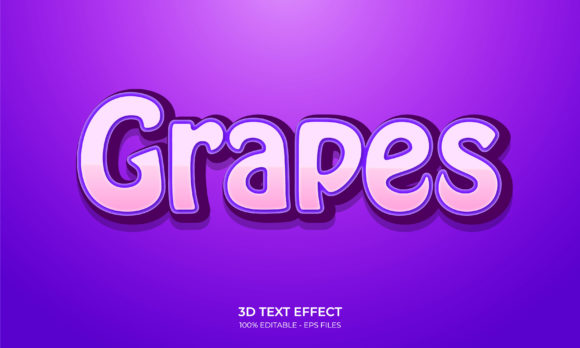
3D Text Effect - Grapes Text Style
In the world of graphic design, typography is rarely just about choosing a font. It is about creating an experience, evoking a sensation, and ensuring that the message resonates visually before the viewer even reads the words. One of the most effective ways to achieve this depth and texture is through 3D text effects. Specifically, the 3D Text Effect - Grapes Text Style offers a unique blend of organic curvature, vibrant color gradients, and dimensional depth that can transform flat headlines into eye-catching visual anchors.
Whether you are designing packaging for a beverage company, creating promotional materials for a summer festival, or simply looking to add a playful yet professional touch to a digital banner, understanding how to leverage high-quality vector assets is crucial. This guide explores the practical benefits, technical specifications, and creative applications of the editable grapes text style, helping you make informed decisions for your next design project.
Understanding the Visual Appeal of the Grapes Text Style
The primary challenge designers often face when trying to create realistic 3D text from scratch is balancing lighting, shadow, and material properties. A standard extruded text effect can look stiff and artificial if not handled with care. The 3D Text Effect - Grapes Text Style addresses this by mimicking the natural geometry of fruit clusters. Each character is treated almost like a grape—round, plump, and slightly irregular in its surface reflection.
This style works because it taps into our psychological association with freshness, sweetness, and vitality. When used correctly, these elements do not just sit on the page; they seem to pop out at the viewer. The organic curves soften the rigidity of traditional block letters, making the text feel more approachable and engaging. For brands in the food, beverage, health, or lifestyle sectors, this subtle cue can significantly enhance brand perception without needing additional imagery.
Technical Specifications and Workflow Efficiency
Beyond aesthetics, the true value of a design asset lies in its usability. Designers need tools that integrate seamlessly into their workflow, allowing for quick iterations and precise adjustments. The 3D Text Effect - Grapes Text Style is engineered with professional standards in mind, offering several key technical advantages:
- High-Resolution Clarity: Available in 300 DPI Resolution, this asset ensures that your text remains crisp and sharp whether it is being viewed on a small mobile screen or printed on large-scale billboards. There is no pixelation, preserving the integrity of the 3D shading and highlights.
- Vector-Based Flexibility: Being a 100 Vector RGB color mode file means you can scale the text to any size without losing quality. More importantly, vector files allow for non-destructive editing. You can manipulate anchor points, adjust curves, and refine shapes with precision.
- Comprehensive File Formats: To accommodate different software preferences and use cases, the package includes a versatile zip file containing AI (Adobe Illustrator), EPS (Encapsulated PostScript), and JPG (JPEG) files. This ensures compatibility across various design ecosystems, from industry-standard Adobe Creative Cloud suites to simpler web-based editors.
Customization: Making It Your Own
One of the most significant hurdles in using pre-made templates is the fear of them looking generic. However, the editable 3d text effect - grapes text style is designed specifically to be modified. Because it is built on vector paths, changing the appearance is straightforward and intuitive.
Color Adaptation: The RGB color mode allows for easy modification of hues. If you are designing for a winter theme rather than a summer one, you can shift the palette from deep purples and bright greens to icy blues and whites. The gradient stops can be adjusted to match specific brand guidelines instantly. This ease of change means you can repurpose the same structural asset for multiple campaigns, saving valuable time.
Text Content Modification: Unlike rasterized images where text is "baked" into pixels, vector text layers allow you to swap out the characters. Need to change "SUMMER SALE" to "WINTER CLEARANCE"? Simply select the text tool, type the new phrase, and let the grapes style automatically reflow around the new letter count. This dynamic capability is essential for agile marketing teams who need to respond quickly to trends.
Practical Applications and Outcomes
So, where does this specific style shine? Here are a few practical scenarios where implementing the 3D Text Effect - Grapes Text Style can yield excellent results:
- Packaging Design: For juice boxes, wine labels, or snack bags, this style adds a tactile quality to the design. It suggests that the product inside is fresh and high-quality. The 3D effect mimics the physical shape of the product, creating a cohesive visual identity.
- Social Media Graphics: In the fast-scrolling environment of Instagram or Facebook, bold, textured text grabs attention. The contrast between the smooth, rounded grapes and the background creates a focal point that encourages users to stop and read the caption.
- Event Posters and Flyers: For music festivals, food fairs, or community gatherings, this style brings energy and fun. It communicates a relaxed, enjoyable atmosphere, setting the right tone for the event.
- Digital Advertising: Banner ads benefit greatly from the depth provided by 3D effects. It helps the ad stand out against flat web backgrounds, potentially increasing click-through rates by making the call-to-action text appear more prominent and clickable.
Considerations for Implementation
While the 3D Text Effect - Grapes Text Style is powerful, successful implementation requires thoughtful consideration of context. Here are some recommendations for getting the best outcome:
Background Contrast: Because the grapes style relies heavily on light and shadow to create depth, it needs a contrasting background to be visible. Avoid placing dark purple grapes on a black background or white highlights on a white background. Test your designs to ensure the text pops against the chosen backdrop.
Readability vs. Decoration: While the 3D effect is decorative, legibility must remain the priority. Ensure that the kerning (spacing between letters) is sufficient so that the round shapes do not merge into an indecipherable blob. If the text is too complex or the curve is too extreme, simplify the font choice within the vector file.
File Management: When working with the included Zip file, keep your source files organized. Use the AI or EPS files for any major edits, as these retain the layer structure and vector data. Reserve the JPG files for quick previews or final exports where editing is no longer required. Always back up your original downloaded files before making irreversible changes.
Conclusion
The 3D Text Effect - Grapes Text Style is more than just a decorative font; it is a strategic design tool that combines aesthetic appeal with technical efficiency. By leveraging its 100% vector nature, 300 DPI resolution, and easy-to-modify color properties, designers can create professional, engaging typography that stands out in crowded visual landscapes.
Whether you are a seasoned graphic designer looking to speed up your workflow or a business owner aiming to elevate your brand's visual presence, this asset provides a robust foundation for creative expression. Its versatility across print and digital mediums ensures that your message is not only seen but felt. Embrace the depth, play with the colors, and watch your text come to life with the natural charm of the grapes style.